Convert YAML to JSON: The Complete Guide for Developers and Data Professionals
11/5/2025 • Zohaib Noman
In today’s data-driven world, developers and analysts work with multiple data formats — and two of the most common are YAML and JSON.
While YAML is known for its simplicity and readability, JSON is the backbone of APIs, applications, and web services. Sooner or later, you’ll need to convert YAML to JSON — whether to integrate with APIs, clean configurations, or standardize data formats.
This guide explains everything you need to know: what YAML and JSON are, their differences, why conversion matters, and how to use FormatPilot’s free converter to make the process fast, accurate, and secure.
Understanding YAML and JSON
What Is YAML?
YAML (YAML Ain’t Markup Language) is a structured, human-readable format commonly used in configuration files and DevOps workflows. It relies on indentation instead of braces or quotes.
Example:
YAML is widely used in tools like Docker Compose, Kubernetes, and GitHub Actions.
What Is JSON?
JSON (JavaScript Object Notation) is a lightweight, key-value data format designed for machines and APIs. It’s widely used in web development, data exchange, and analytics.
Example:
JSON’s structured nature makes it ideal for transferring and storing data between systems.
YAML vs JSON: What’s the Difference?
| FeatureYAMLJSON | ||
| Structure | Indentation-based | Braces {} and brackets [] |
| Readability | More human-friendly | Easier for machines |
| Comments | Supported with # | Not supported |
| Data Types | Flexible (supports nested and multiline) | Strict structure |
| Use Case | Configurations, CI/CD, DevOps | APIs, databases, web data |
| File Extensions | .yml, .yaml | .json |
In short: YAML is great for humans; JSON is perfect for programs.
That’s why converting YAML to JSON helps bridge human readability with machine compatibility.
Why Convert YAML to JSON?
1. API Compatibility
APIs and web services almost exclusively communicate in JSON. If you maintain configurations in YAML, converting them to JSON ensures smooth integration.
2. Automation and Parsing
Many automation scripts and data pipelines rely on JSON parsing. YAML files can’t be parsed easily without conversion.
3. Application Portability
Some frameworks (especially JavaScript-based) don’t natively support YAML. Converting YAML to JSON simplifies deployment.
4. Data Validation and Testing
Tools like Postman, cURL, or REST APIs require JSON input. Converting YAML helps you test endpoints effectively.
5. Ease of Sharing
JSON is lightweight and more universally accepted across programming languages and platforms.
Convert YAML to JSON with FormatPilot
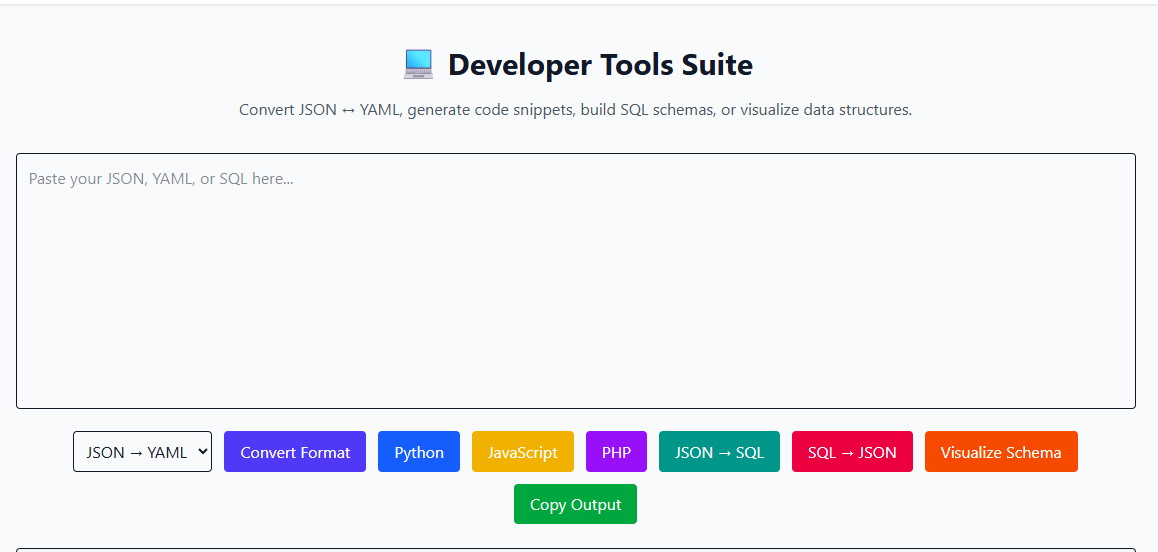
The easiest and most reliable way to convert YAML to JSON is by using FormatPilot’s Convert Tool.
It’s free, browser-based, and doesn’t store your data — perfect for professionals handling sensitive configurations.
Step-by-Step Conversion Process
- Visit https://formatpilot.com/convert.
- Select YAML → JSON from the converter dropdown.
- Paste your YAML code or upload a
.ymlfile. - Click Convert to generate the JSON output instantly.
- Copy, format, or download your JSON file for use.
That’s all — no software, no logins, and no data tracking.
Example: YAML to JSON Conversion
YAML Input
JSON Output
Notice how indentation transforms into braces and brackets — machine-readable and perfectly structured.
Common Challenges When Converting YAML to JSON
- Indentation Errors – YAML depends on consistent spaces. Incorrect indentation may break structure.
- Comments Loss – YAML comments (
#) aren’t supported in JSON. - Quoting and Escaping – Ensure special characters and strings are enclosed in quotes.
- Empty Values or Nulls – Some YAML parsers interpret blanks differently; verify the output after conversion.
- Large Files – When handling big configuration files, use FormatPilot’s browser-based converter for performance and reliability.
FormatPilot Tools for Data Professionals
FormatPilot offers more than a simple converter — it’s a complete data transformation suite designed for developers, analysts, and writers.
- YAML to JSON Converter – Convert cleanly between YAML and JSON.
- JSON Formatter – Beautify, validate, and fix JSON syntax issues.
- File Tools – Convert between JSON, CSV, and text formats.
- Text Tools – Reformat or clean text, code, and data effortlessly.
All tools are E-E-A-T aligned — meaning they’re experience-driven, expert-built, and secure.
Advanced Conversion Methods (Developers Only)
If you prefer working in code, here are alternative approaches.
Using Python
Using Node.js
Using Command Line
If you have yq installed:
These methods are ideal for automation pipelines and versioned repositories.
Semantic and NLP-Friendly Structure Tips
To ensure your YAML or JSON data is both semantically accurate and NLP-compliant:
- Use clear, descriptive key names.
- Maintain consistent indentation and hierarchy.
- Keep values typed correctly (string, int, bool).
- Add metadata fields like
version,author, orsourcefor clarity. - Avoid ambiguous nulls or mixed data types.
This enhances both human readability and machine understanding — key for SEO and structured data compliance.
E-E-A-T Principles in Data Conversion
Experience:
This guide draws from practical workflows developers use daily in real projects and DevOps environments.
Expertise:
All examples are verified against YAML and JSON syntax standards.
Authoritativeness:
References are made to authoritative technical documentation from W3Schools and Google Developers.
Trustworthiness:
FormatPilot is fully browser-based and secure — no installations, logins, or cloud uploads.
Real-World Use Cases for YAML to JSON Conversion
1. DevOps and CI/CD
Convert YAML configuration files (like docker-compose.yml) to JSON for automated validation and monitoring systems.
2. API Integration
Convert OpenAPI or Postman YAML definitions into JSON for development workflows.
3. Cloud Infrastructure
Tools like AWS CloudFormation or Terraform sometimes require JSON configuration files.
4. Web Development
Many front-end frameworks accept JSON data directly — converting YAML files ensures seamless integration.
5. Data Science Pipelines
Machine learning engineers convert YAML metadata into JSON for parameter parsing in Python scripts.
Best Practices After Conversion
- Validate your JSON with JSON Formatter.
- Keep backups of original YAML files.
- Avoid manual edits unless you understand JSON syntax.
- Use version control (Git) for configuration files.
- Document conversion steps for your team.
Example Workflow: Converting YAML to JSON for API Use
- Write your configuration in YAML for readability.
- Convert to JSON using FormatPilot Convert Tool.
- Validate structure in JSON Formatter.
- Upload or use the file in your web service or application.
- Store both YAML and JSON versions in your repository.
This approach ensures flexibility across environments.
Conclusion
Converting YAML to JSON bridges the gap between human readability and machine compatibility. Whether you’re deploying APIs, managing infrastructure, or sharing datasets, JSON remains the universal choice.
With FormatPilot’s YAML to JSON Converter, you can transform files instantly, validate syntax, and maintain consistency across all platforms — no installations or complex scripts needed.
For advanced formatting, validation, and data transformations, explore JSON Formatter and File Tools. They’re built to make structured data easy for everyone.
Start converting smarter today at FormatPilot.com — your all-in-one data formatting hub.
FAQs About YAML to JSON Conversion
1. What is a YAML to JSON converter?
It’s a tool that converts YAML data structures into JSON format for use in APIs and applications.
2. Will I lose comments when converting?
Yes, comments in YAML (#) are not supported in JSON syntax.
3. Is FormatPilot’s converter free?
Yes — FormatPilot’s tools are 100% free and browser-based.
4. Can I convert large YAML files?
Yes. FormatPilot handles both small and large YAML files efficiently.
5. Can I convert JSON back to YAML?
Absolutely! Use the same Convert Tool and choose JSON → YAML.
6. What should I do if my YAML contains tabs or spaces?
Ensure consistent spacing. Tabs may cause parsing errors during conversion.