JSON to YAML Converter: A Complete Guide to Transforming Your Data Seamlessly
11/4/2025 • Zohaib
Data exchange formats power nearly every aspect of the modern web. Whether you’re working with APIs, cloud configurations, or DevOps pipelines, chances are you’ve encountered JSON and YAML files. Each has its strengths, but knowing how to convert between them—especially from JSON to YAML—can save you hours of formatting and debugging.
This in-depth guide explains what JSON and YAML are, why you might need a JSON to YAML converter, and how to easily transform your data using FormatPilot’s free online tools.
Understanding JSON and YAML
Before converting between these formats, let’s understand what they represent and how they differ.
What is JSON?
JSON (JavaScript Object Notation) is a lightweight format used to store and transfer structured data. It’s favored for its simplicity, compatibility, and readability by both humans and machines.
Here’s a quick example:
JSON uses curly braces {} for objects, square brackets [] for arrays, and double quotes for keys and strings.
What is YAML?
YAML (YAML Ain’t Markup Language) is a human-readable format for structured data, widely used in configuration files (like Kubernetes, Docker Compose, and GitHub Actions).
Here’s what the same data looks like in YAML:
No brackets. No quotes. Just indentation. YAML’s beauty lies in its clarity and readability.
JSON vs YAML: Key Differences
| FeatureJSONYAML | ||
| Syntax | Uses braces {} and brackets [] | Uses indentation |
| Readability | Machine and human readable | Human-first readability |
| Comments | Not supported | Supported using # |
| Use Cases | APIs, web data, JavaScript | Configuration, DevOps, CI/CD |
| File Extension | .json | .yaml or .yml |
While JSON is ideal for data exchange between systems, YAML excels in configuration and documentation where clarity matters more than syntax.
Why Convert JSON to YAML?
There are many scenarios where converting JSON to YAML becomes essential. Let’s explore some practical cases.
1. Simplifying Configuration Management
DevOps and cloud engineers frequently work with YAML-based files for CI/CD pipelines or Kubernetes manifests. JSON is too rigid for this. Converting JSON to YAML makes these files cleaner and easier to edit.
2. Better Human Readability
YAML’s indentation makes it visually intuitive. Converting JSON files with nested structures into YAML can reduce mental overhead when reading or editing them.
3. Easier Collaboration
Teams working across disciplines—developers, data analysts, marketers—find YAML easier to review. A JSON to YAML converter bridges that gap seamlessly.
4. Compatibility Across Tools
Some tools and frameworks only accept YAML (like Docker Compose or Kubernetes). Converting ensures compatibility without manual editing.
The Challenges of Manual Conversion
While you can manually edit JSON into YAML, it’s prone to errors:
- Indentation mistakes – YAML relies on spaces, not tabs.
- Invalid nesting – missing spaces or wrong indentation can break the file.
- Unsupported characters – JSON escaping can cause YAML parsing issues.
- Human error – long structures are tedious to rewrite manually.
That’s why using a trusted converter like FormatPilot ensures accuracy and saves time.
How to Convert JSON to YAML Instantly Using FormatPilot
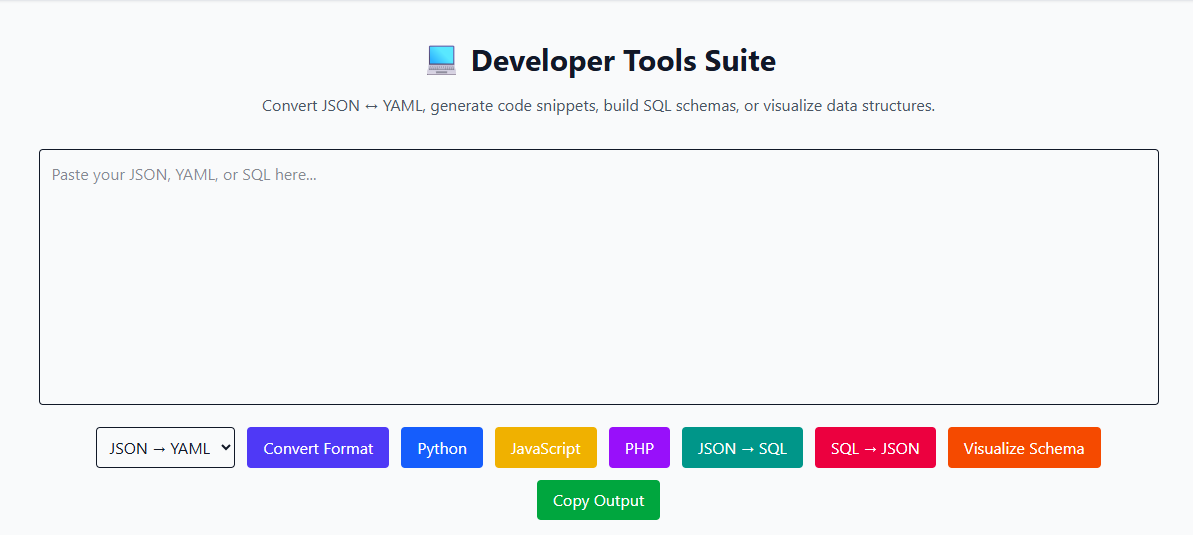
Converting your data using FormatPilot’s JSON to YAML Converter is effortless. Follow these simple steps:
- Go to FormatPilot’s Convert Tool.
- Select JSON to YAML from the list of available conversions.
- Paste your JSON code or upload your file.
- Click Convert.
- Instantly preview and download your clean, indented YAML output.
That’s it!
No installation, no scripts, no technical complexity—just instant, accurate conversion.
Example: Converting JSON to YAML
Let’s walk through a real example.
JSON Input:
Converted YAML Output:
Notice how YAML removes the braces and uses indentation for clarity. The structure remains the same—but it’s now far easier to read.
Advantages of Using FormatPilot’s JSON to YAML Converter
FormatPilot isn’t just another online converter. It’s a developer-focused platform that makes data transformation quick, secure, and reliable.
1. Fast and Free
No limits, no sign-ups. Paste your data, click convert, and you’re done in seconds.
2. Secure Conversion
Everything happens in your browser. Your data is never uploaded to a server—ensuring privacy and compliance.
3. Perfect Indentation
FormatPilot handles spacing automatically, eliminating indentation errors common in YAML files.
4. Multi-Tool Ecosystem
FormatPilot offers a suite of related tools to streamline your workflow:
- JSON Beautifier
- CSV to JSON Converter
- Text Tools
- YAML to JSON Converter
These tools integrate seamlessly for all your data formatting needs.
When to Use JSON and When to Use YAML
Choosing between JSON and YAML depends on your use case.
- Use JSON when exchanging data between APIs, web apps, or back-end systems.
- Use YAML when writing configuration files, workflows, or infrastructure manifests.
Both are valuable. The JSON to YAML converter helps you adapt depending on the environment.
Common Use Cases in Real Projects
DevOps and Cloud Configuration
Tools like Kubernetes, Docker, and GitHub Actions all use YAML files. You can easily convert JSON deployment templates into readable YAML manifests.
Data Analytics
Analysts working with large JSON datasets often convert to YAML for cleaner visualization and documentation.
Web Development
Front-end and back-end teams use JSON for data exchange, but YAML for config files like .eslintrc.yml, .prettierrc.yml, or docker-compose.yml.
Education and Training
Educators and technical writers prefer YAML for tutorials, as it’s visually simpler and easier for beginners to follow.
YAML Best Practices After Conversion
Once you’ve converted JSON to YAML, follow these best practices:
- Use 2 spaces per indent level (avoid tabs).
- Maintain consistent indentation.
- Validate your YAML with a linter or validator.
- Add comments using
#for clarity. - Keep related data grouped logically.
These small steps ensure your YAML files stay valid and easy to maintain.
Comparison Table: FormatPilot vs Other Converters
| FeatureFormatPilotGeneric Converters | ||
| Conversion Speed | ⚡ Instant | Slower |
| Accuracy | ✅ 100% structure retention | ❌ Prone to format errors |
| Security | ✅ Browser-based | ❌ Uploads data to server |
| Cost | 💯 Free | Paid features or limits |
| Related Tools | ✅ JSON, CSV, Text Tools | ❌ Limited scope |
Why FormatPilot Leads in Data Conversion
FormatPilot’s focus on precision and ease of use makes it stand out. Whether you’re a developer managing API responses or a DevOps engineer configuring deployment scripts, FormatPilot ensures every conversion is smooth and accurate.
Its minimal interface, browser-based architecture, and multi-format support mean you can trust it for any data task—without compromising on quality or speed.
Conclusion: The Smarter Way to Convert JSON to YAML
Manually rewriting JSON files into YAML can be time-consuming and error-prone. FormatPilot’s JSON to YAML Converter solves this effortlessly—turning structured JSON data into clean, readable YAML files within seconds.
No more indentation headaches or validation errors. Whether you’re setting up a Kubernetes cluster, defining a CI/CD pipeline, or documenting API data, FormatPilot keeps your workflow fast and reliable.
Visit FormatPilot.com today and try the Free JSON to YAML Converter — the simplest way to transform your data with confidence.
FAQs About JSON to YAML Conversion
1. What is a JSON to YAML converter?
A JSON to YAML converter transforms JSON data into YAML format while preserving structure and hierarchy for easier readability.
2. Is FormatPilot’s JSON to YAML converter free?
Yes, it’s 100% free to use without sign-ups or limits.
3. Will my data stay private?
Absolutely. All processing happens locally in your browser—no data is uploaded.
4. Can I convert YAML back to JSON?
Yes, use FormatPilot’s YAML to JSON Converter for the reverse transformation.
5. What are common uses of YAML?
YAML is ideal for configuration files in Docker, Kubernetes, GitHub Actions, and CI/CD pipelines.
6. Does YAML support comments?
Yes, you can add comments in YAML using the # symbol.